An AI draft can make a workplace apology sound polished before it is accurate. It may claim full responsibility when the facts are still unclear, describe a repair that has not happened, or promise a remedy you cannot approve. The safest editing rule is simple: verify the record first, then make every sentence match what you know, what you did, and what you are actually authorized to offer.
A workplace apology is not a performance of maximum regret. It should acknowledge the mistake and its known impact, take responsibility for your part, state completed repair accurately, and separate any proposed next step from a commitment. Grammarly’s workplace apology guide, updated October 25, 2024, likewise emphasizes clarity, accountability, and an actionable response. The workflow below narrows those principles to reviewing an AI-assisted email about a mistake you made.
Build a fact sheet before you edit
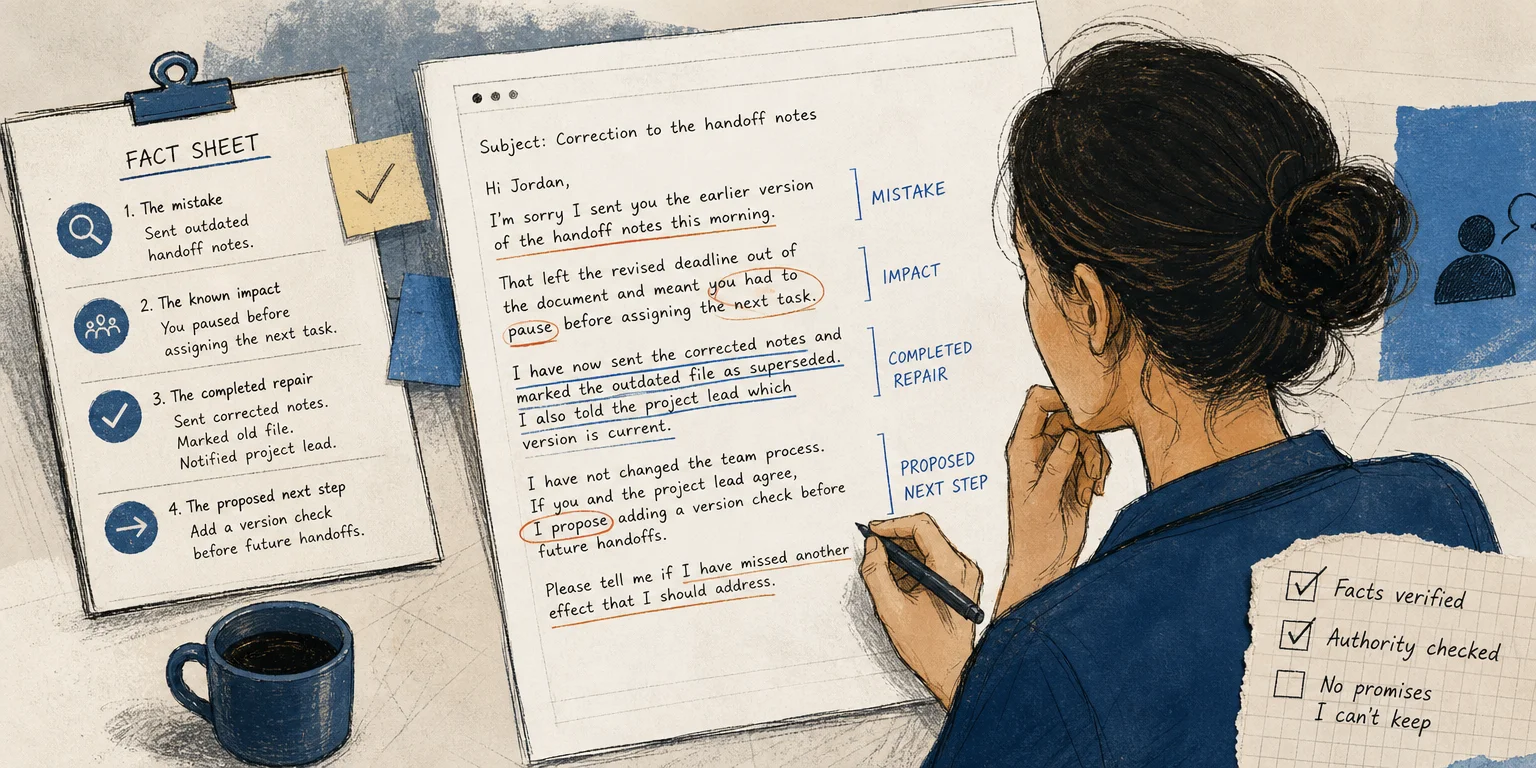
Do not ask the draft to decide what happened. Write four short notes from records you can check:
- The mistake: What did you do or fail to do?
- The known impact: What delay, extra work, confusion, or other effect can you confirm?
- The completed repair: What have you already corrected, sent, restored, or reported?
- The proposed next step: What could help but still needs another person’s agreement or approval?
Keep uncertainty visible. If you know your error delayed one handoff but do not know the full project impact, say exactly that. Do not upgrade “may have affected” to “caused,” or “I submitted a correction” to “the issue is resolved.”
If the notes contain private employee, client, or project information, do not automatically paste them into an external tool. Confirm that the tool and use are approved, and reduce the input to what the writing task needs. The separate guide to removing sensitive information before using an AI writing tool explains that permission comes before redaction.
Give the draft one job
Use AI, if permitted, to organize or clarify verified material—not to manufacture remorse, consequences, or remedies. A narrow instruction might be:
Illustrative prompt: Draft a concise apology to a colleague using only the facts below. Distinguish actions already completed from a next step I am proposing. Do not add causes, impacts, promises, or requests for forgiveness.
Review the output sentence by sentence against your fact sheet. Delete stock intensifiers such as “deeply,” “completely,” or “entirely” unless they express your real judgment and fit the facts. A plain, specific sentence is usually more credible than elaborate emotional language.
Use four moves in the email
Start by naming the mistake without an evasive conditional: “I’m sorry I sent the outdated schedule,” not “I’m sorry if the schedule was confusing.” Next, acknowledge only the impact you can support. Then state what you have already done, using past or present-perfect tense. Finally, label an unapproved response as a proposal: “If it would help, I can…” or “I propose…”
Do not make the recipient manage your feelings. “Please forgive me,” “I hope you are not angry,” and repeated self-criticism can pressure them to reassure you. You may invite corrections or discuss a practical next step, but you do not need to demand acceptance.
Illustrative colleague email
The following example is invented for teaching. It is not a real workplace message or a tested template.
Subject: Correction to the handoff notes
Hi Jordan,
I’m sorry I sent you the earlier version of the handoff notes this morning. That left the revised deadline out of the document and meant you had to pause before assigning the next task.
I have now sent the corrected notes and marked the outdated file as superseded. I also told the project lead which version is current.
I have not changed the team process. If you and the project lead agree, I propose adding a version check before future handoffs. Please tell me if I have missed another effect that I should address.
Best, Sam
The example owns one specific action, names a bounded impact, and reports two completed steps. It does not pretend that the proposed process change is already approved. The final sentence asks for relevant information rather than forgiveness.
Run a final accountability check
Before sending, underline every factual claim and verify it. Circle every future-tense sentence and ask whether you control that promise. Check that the apology does not shift blame through phrases such as “there was confusion” when you know what you did. Confirm the recipient, subject line, attachments, dates, and file versions.
For a serious, sensitive, disciplinary, legal, or safety-related incident, an email template may be insufficient. Follow workplace policy and ask the appropriate manager, HR, legal, security, or other responsible team for guidance. Good prose cannot substitute for investigation, authorization, or repair. The finished email should be modest in scope: truthful about your part, precise about action already taken, and honest about what still requires agreement.